Write professional engineering reports in your browser. Free.
A complete document builder — real equations, Word-class tables, figures, and a live table of contents, with your beam and truss analysis dropped straight in. What you see on screen is exactly what exports, to the millimeter. No account, no subscription, no install.
Free · Runs entirely in your browser · Your files stay yours
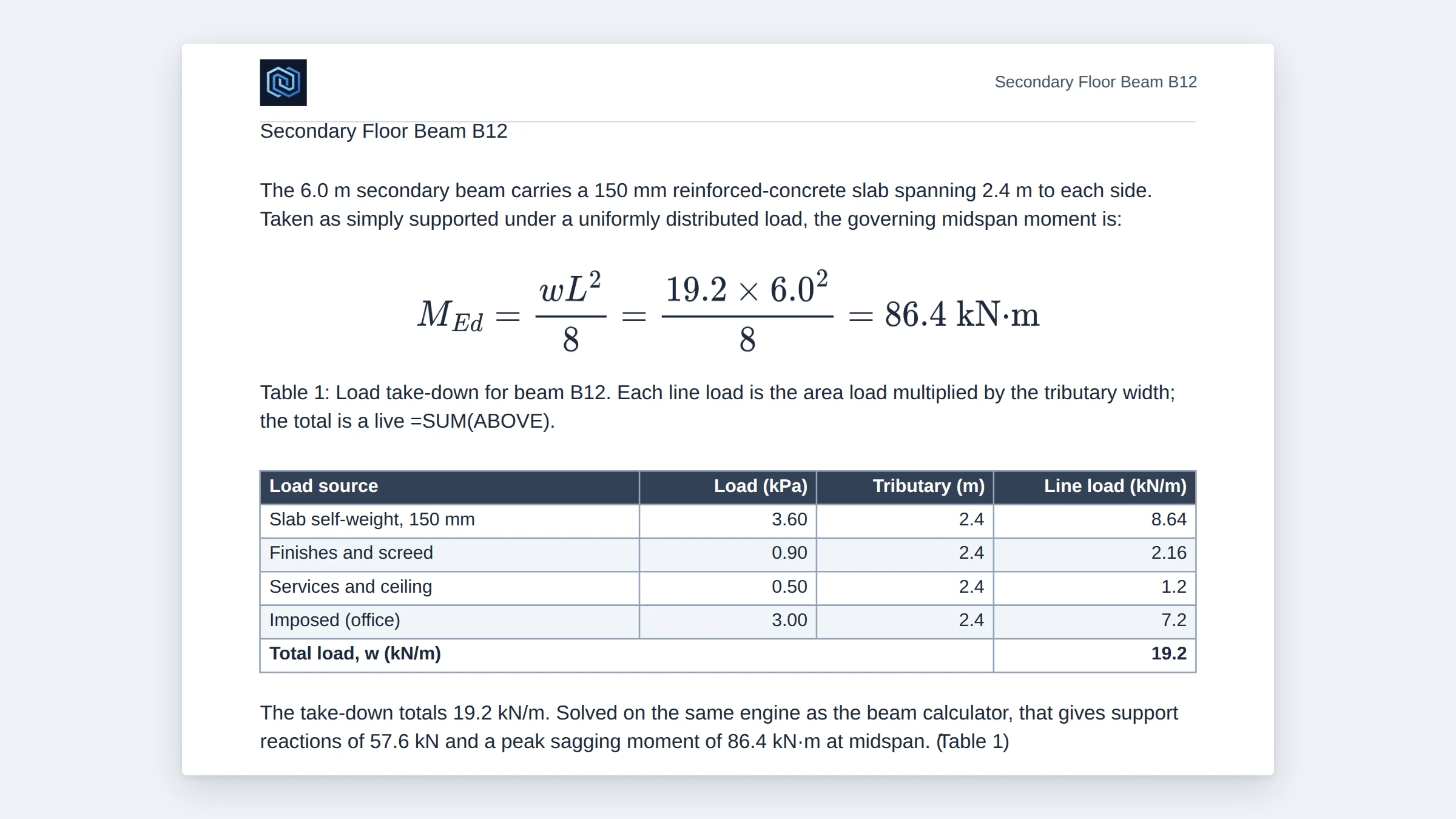
Equations, tables, and your analysis — built in
The three capabilities an engineering report actually needs: typeset equations, spreadsheet-grade tables, and your own beam and truss results — on the page, not in a separate tool.
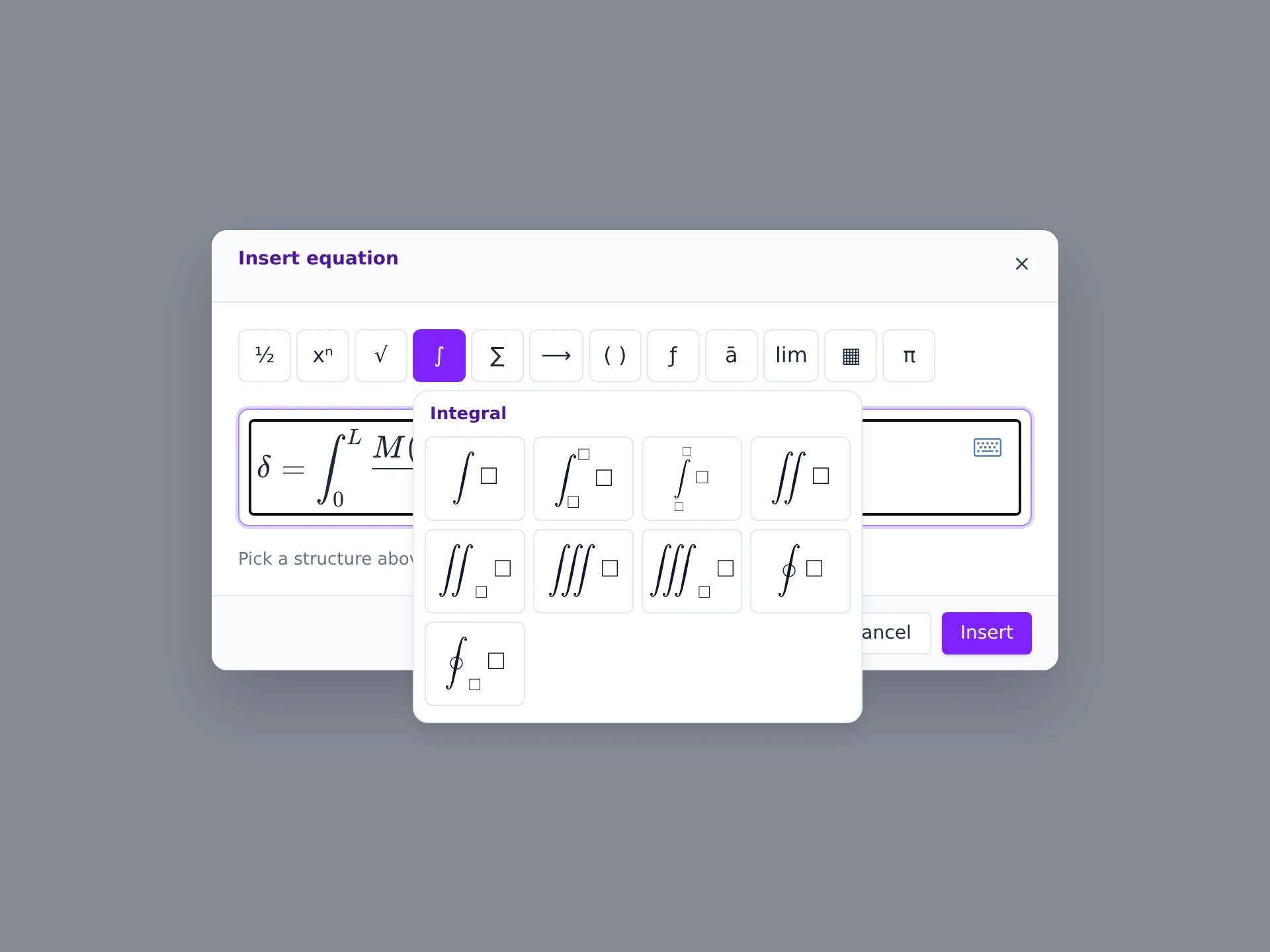
Real equations
A Word-style equation editor, in a browser.
Twelve structure galleries — fractions, integrals, large operators, matrices, brackets, functions, accents, and more — with around 300 templates and symbols. Build a governing equation visually, number it automatically like a thesis, and it renders typeset into the PDF exactly as you see it.
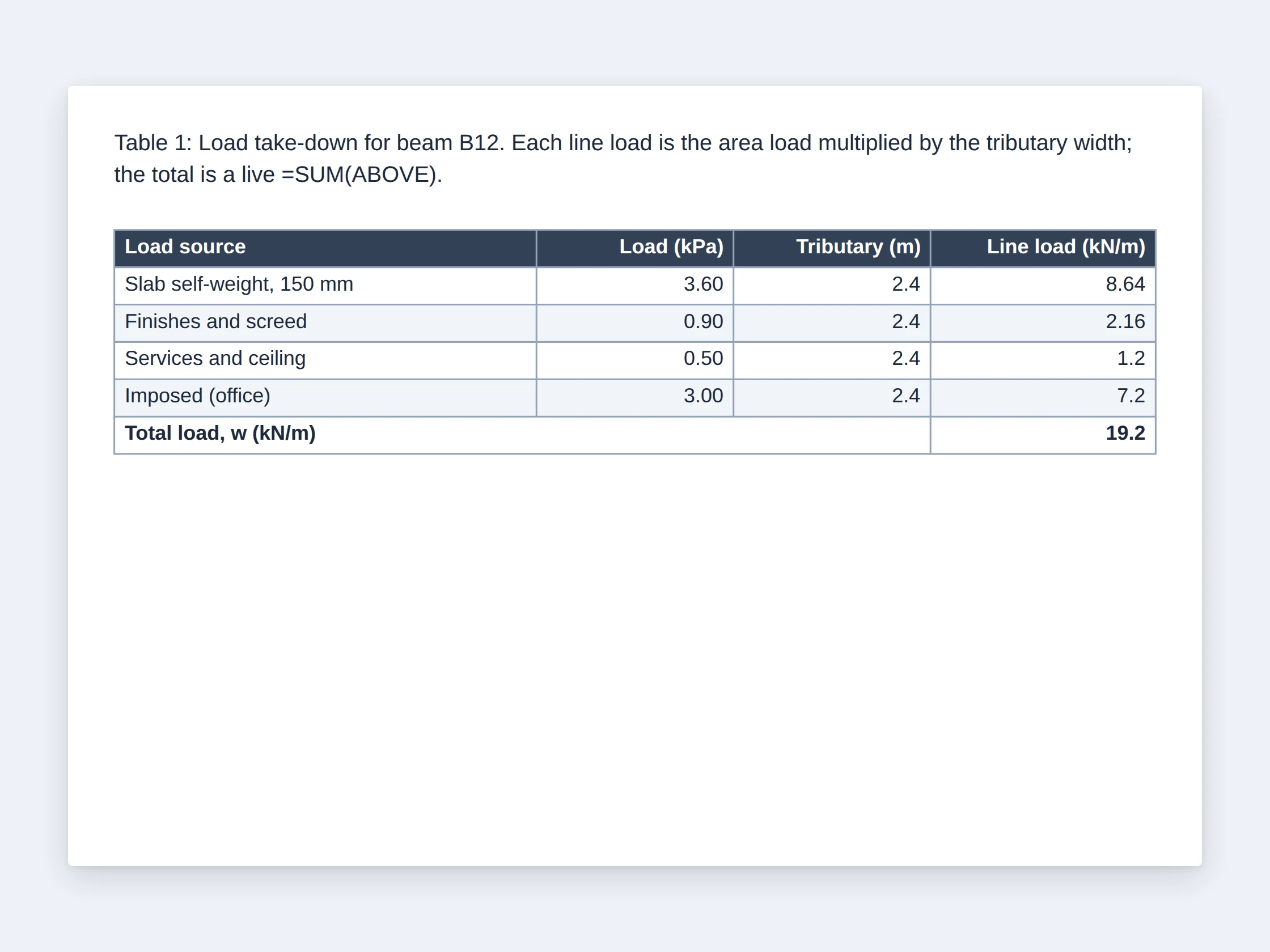
Word-class tables
Part spreadsheet, part design tool.
Merge cells, write formulas — =SUM(ABOVE), =AVERAGE, cell references and ranges like B2:B7 — apply one-click design templates with banded rows, and repeat header rows across page breaks. Paste a range straight out of Excel and it lands as a real, editable table.
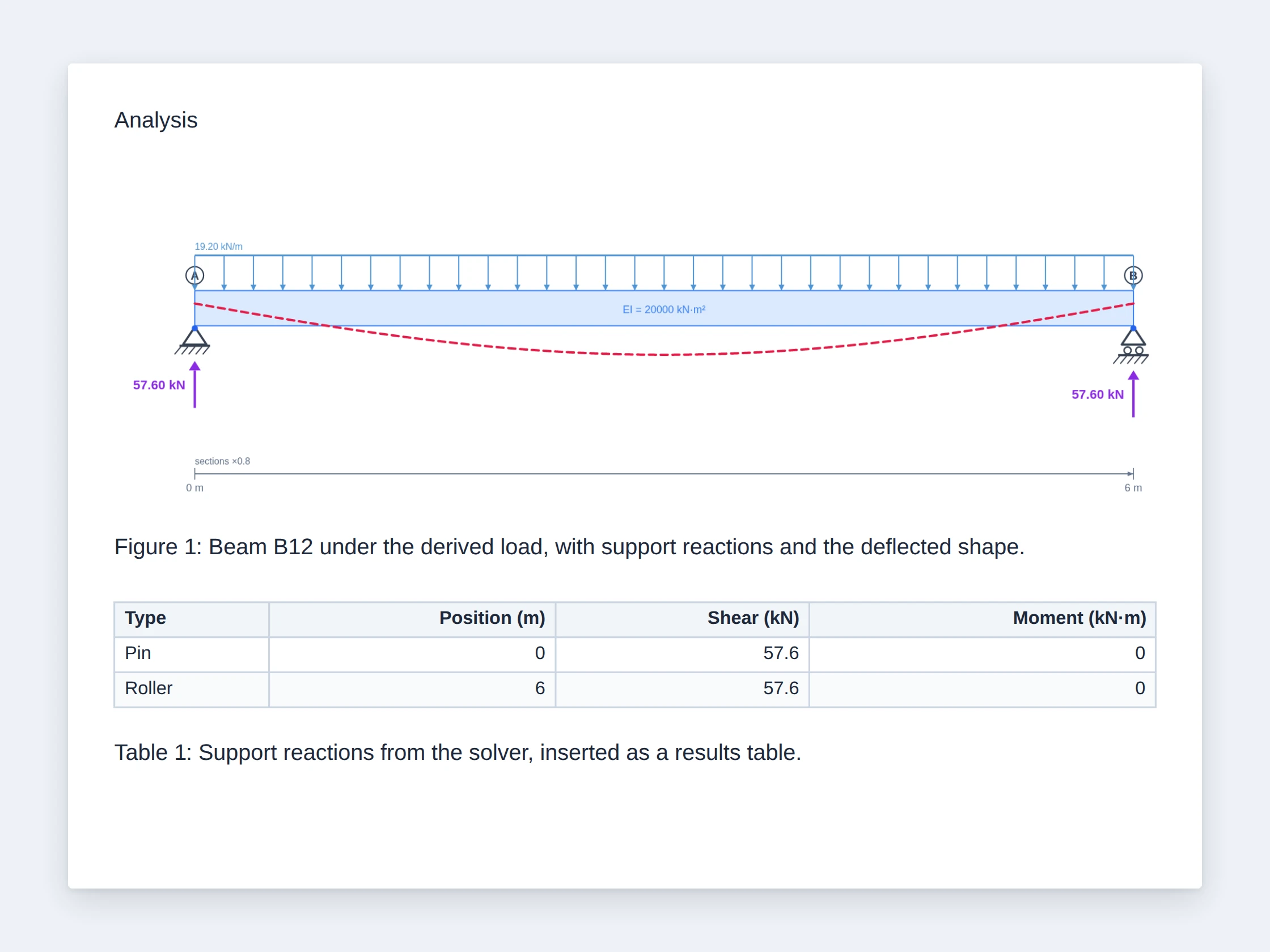
Your analysis, built in
Your beam and truss results, dropped onto the page.
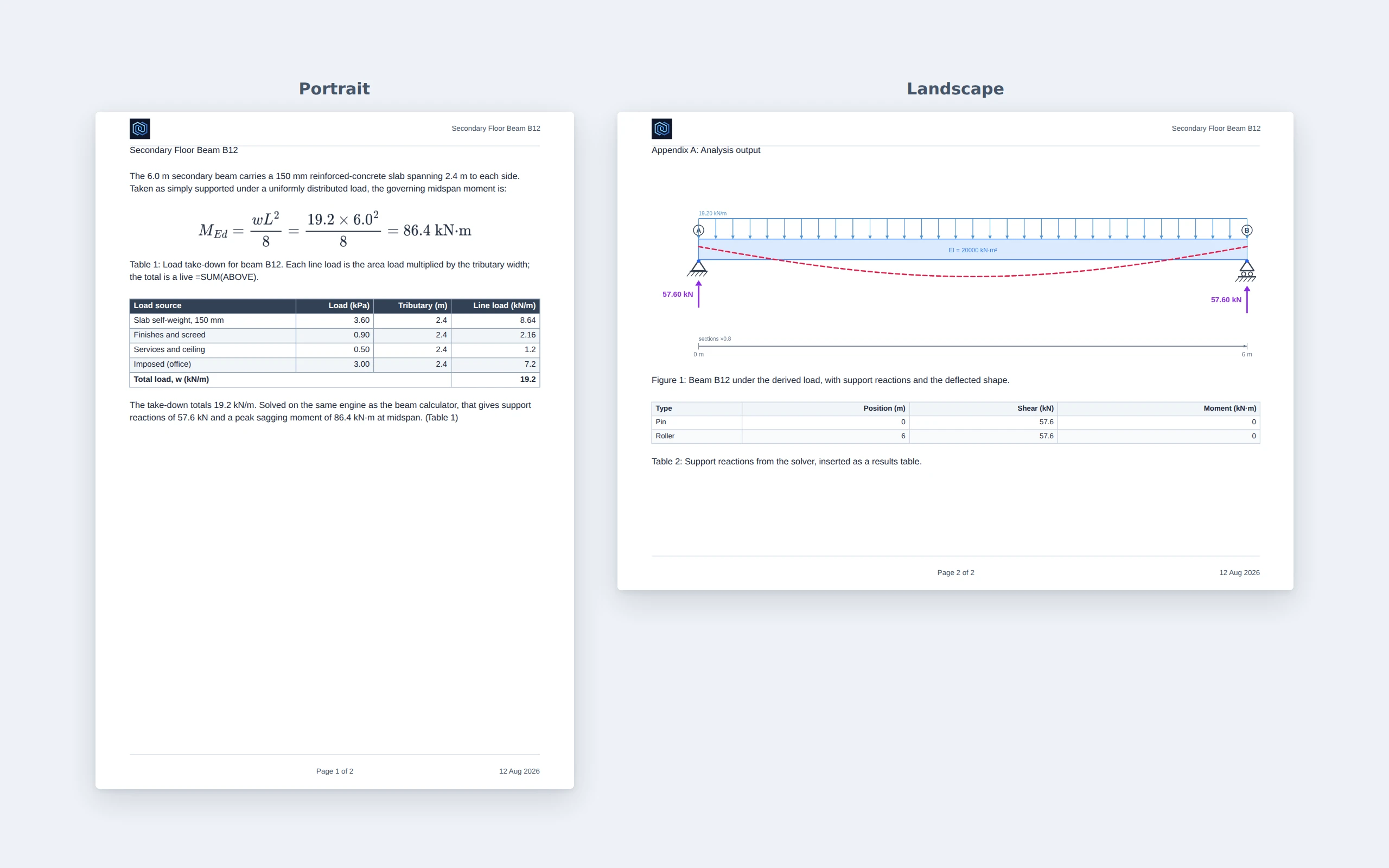
Insert your beam and truss results — reaction tables, shear, moment and deflection diagrams, deflected shapes — directly into the report. Your calculations and your write-up finally live in one document, in one place, exported together.
What's inside
The three headline features get the attention, but the depth is in the everyday details — the things that make a document actually look finished.
Writing
Inline rich text
Bold, italic, underline, strike, and color on a single word or phrase — not just whole paragraphs.
Lists that nest
Multi-level bulleted and numbered lists, Word-style, with the numbering that follows the nesting.
Auto table of contents
Mark text as Heading 1/2/3 and a table of contents builds itself, with the right page numbers.
Right-click controls
A contextual menu on any element — format, insert, and table actions where your cursor already is.
Undo / redo
Every edit is undoable. Experiment freely; step back any time.
Cell coordinates on demand
Hold Shift over a table to see A1/B2 labels while you write a formula.
Layout & pages
Per-side margins
Set top, bottom, left, and right margins independently to match your template.
Portrait & landscape, mixed
Turn a single page landscape for a wide table or figure while the rest stays portrait.
Headers, footers & page numbers
Repeating headers and footers, with page numbering — including Roman front-matter then Arabic body.
Page backgrounds & logo
A page background and your logo in the header, for a branded, consultancy-grade look.
Trust & output
Document sanity check
One click finds anything hanging off the page or into the margins before you export — and offers to fix it.
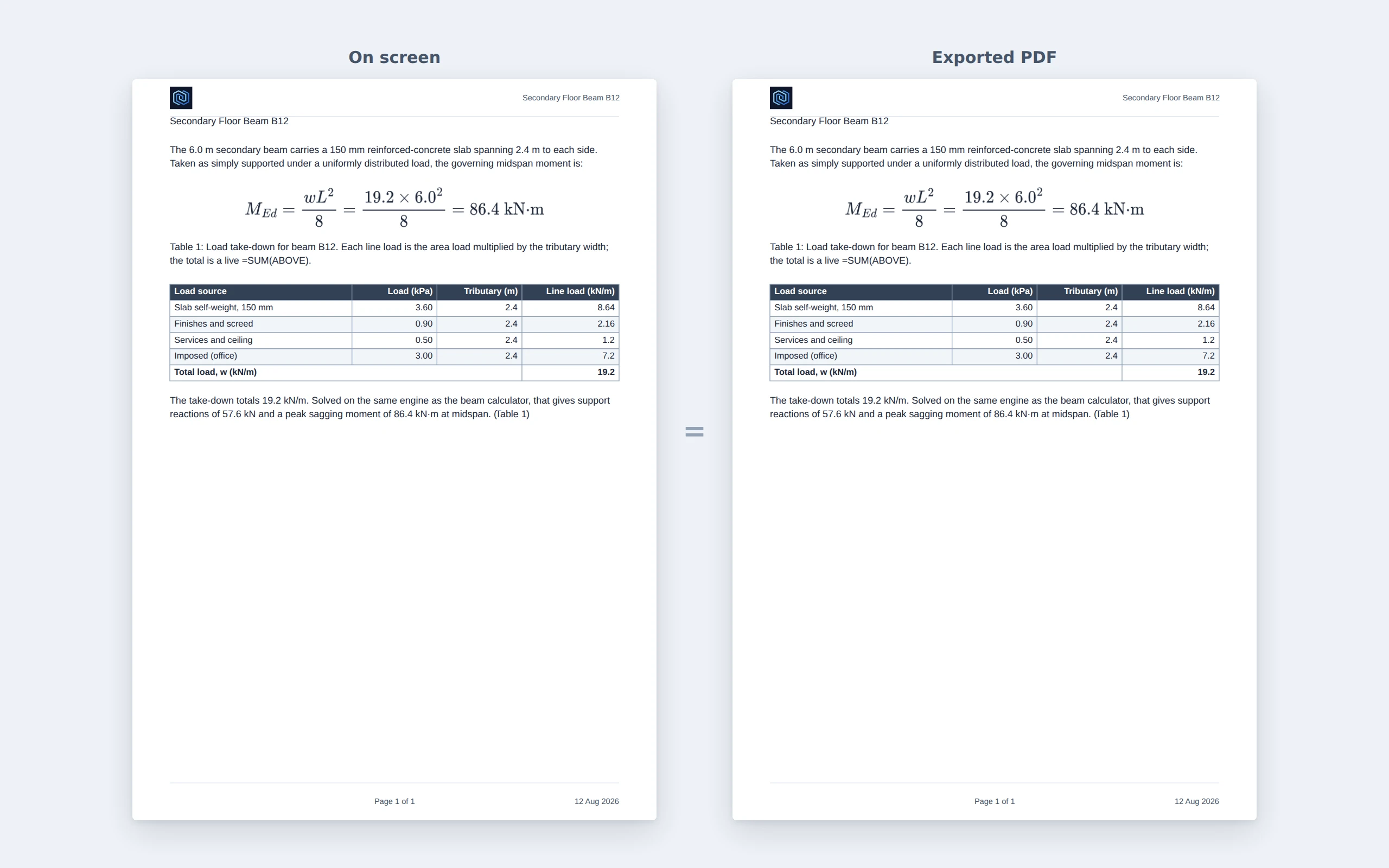
Pixel-faithful PDF export
The on-screen preview is the print. What you see is what you get, to the millimeter — no surprises.
Images & engineering diagrams
Drop in images and diagrams alongside your equations, tables, and analysis figures.
Save, reopen, share
Your work is yours.
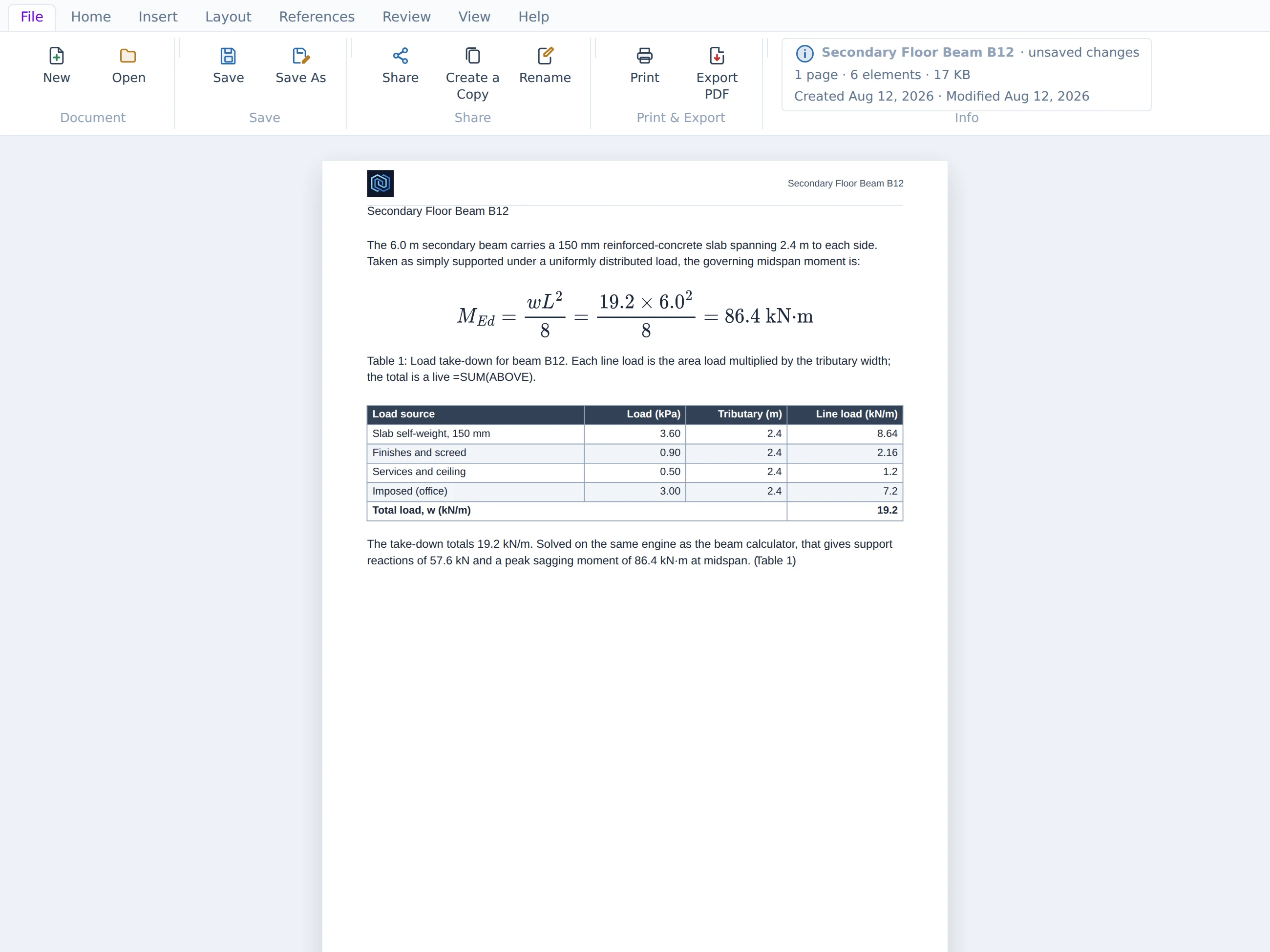
Every report saves to a single file on your device. Reopen it any time and keep working — or send it to a colleague or your supervisor, who opens the same file and carries on exactly where you left off.
No cloud account to sign into, nothing locked behind a subscription, nothing that disappears when a trial ends. The file is a document you own, like any other on your computer.
- ✓ Save to a file and reopen it later, unchanged
- ✓ Hand the file to a colleague — they open it and continue
- ✓ No sign-up, no lock-in, no expiry
For final-year & capstone students
Writing your final-year or capstone report?
This was built with you in mind. A capstone report needs typeset equations, figures, tables, and a clean, professional layout — and the Report Builder gives you all four in one place, with your beam and truss analysis dropped straight in.
Type your report, build your equations visually, insert your results, and export a document that looks like it came from a consultancy. It’s free, it runs in your browser, and the file is yours to keep long after you graduate — you’re a future professional, and your report should look like it.
Who it's for
Structural engineers
Your beam and truss analysis is already in the tool — write the report around it and export in one go.
Engineers of any discipline
Calculation packages, method statements, technical notes, inspection reports — equations and tables included.
Researchers & technical writers
Equations and figures without wrestling a word processor, exported to a clean, faithful PDF.
Students
Capstone, final-year, and project reports that look the part — free, and yours to keep.
Open it and start writing.
Free, no sign-up, runs in your browser. Bring your analysis, your equations, and your words together in one professional document.